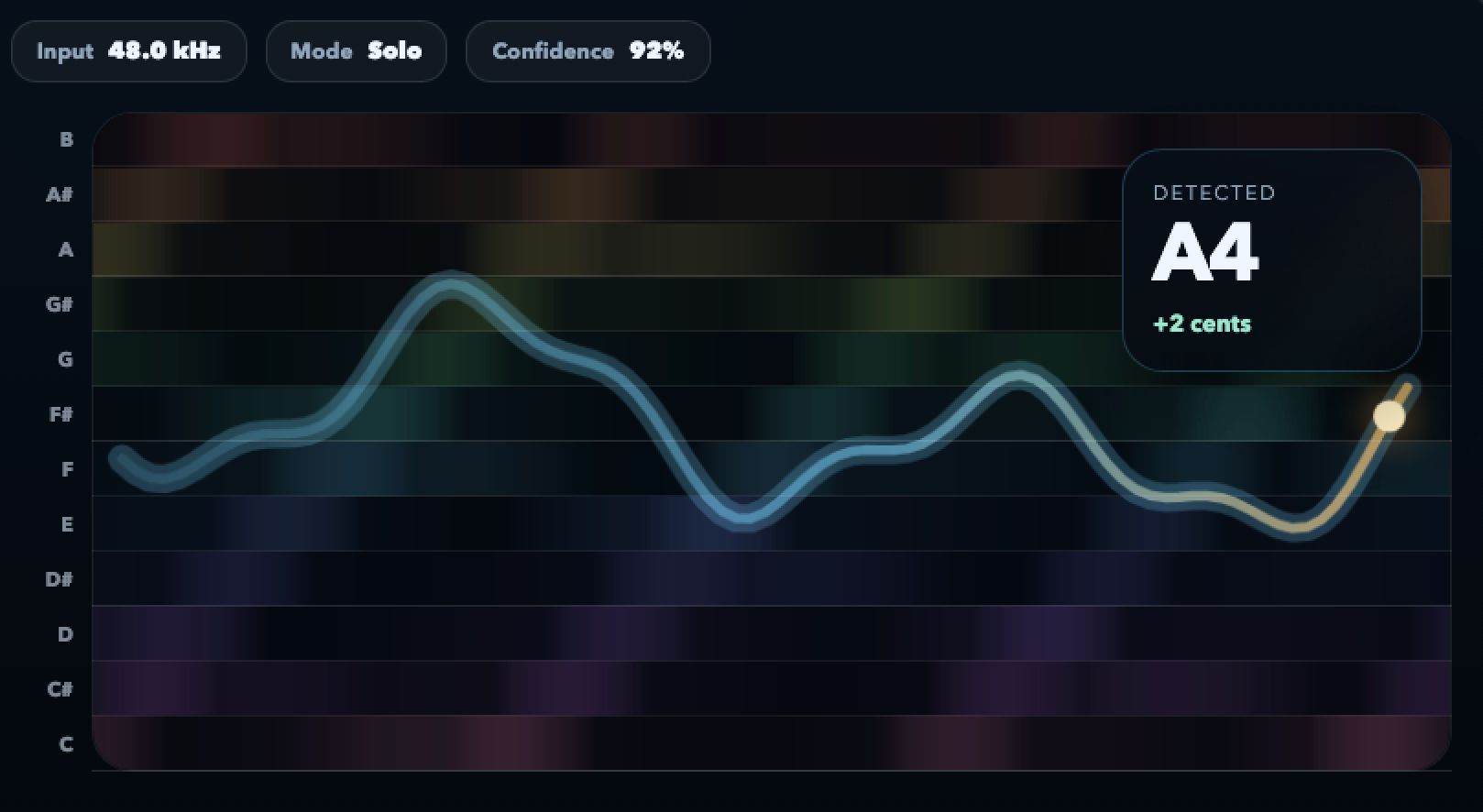
When every voice matches, the contour is one narrow line. When it splits, everyone sees who pulled it and when.
Choir practice tool
The section is blending — or it isn’t. Now you can see which.
Fiume’s choir practice tool shows each voice’s pitch contour relative to the section target. Unison cleans up, section drift becomes visible, and the director has one picture everyone can point at.
Free in your browser. Works for rehearsal rooms and home practice.
Soprano, alto, tenor and bass can each run their line with its own pitch target.
Singers arrive at rehearsal already locked in because they practiced with real-time feedback at home.
No install, no sign-up, no upload. Share one link with the entire choir.
Why blend is the hard part
Choir intonation is a group problem, not a solo one
Every singer can be individually “in tune” and the section can still sound muddy. The three things below are what Fiume makes visible.
Shared center
Two singers at +5 cents and -5 cents are both “close” on a solo tuner but produce a beating unison. On the contour they show up as a split line you can actually align.
Sustain drift
A section starts in tune and slides flat across four bars. The contour shows the collective drop, not just a single voice falling behind.
Entrance matching
The first 200 ms of each entrance decides whether the chord locks. The contour makes the approach visible so you can shape it.
Who uses it
Choirs and singers Fiume was built to support
From volunteer community choirs to professional chamber groups, the underlying problems are the same. The tool scales with you.
-
Community choirs Warm up with unison drills and watch the section line settle into a single thin contour as the blend locks in.
-
Chamber & vocal ensembles Work on tuned chords by rotating through each member and using the contour to align centers to the cent.
-
School & university choirs Give each student a home-practice link. They arrive already prepared and the rehearsal goes twice as far.
-
Church choirs Check unison hymn lines and tune sustained final chords without relying on the organist’s reference alone.
-
Section leaders Lead a sectional with one visual reference that the whole group can see and agree on.
-
Directors and conductors Spot drift patterns across a rehearsal and make specific adjustments instead of generic “listen to each other” notes.
How to use it
A three-step choir-practice loop
Keep the problem small. One phrase, one section, one adjustment. The pattern works for a two-person duet and for a hundred-voice community choir.
-
1
Pick one phrase
Often a unison line, a sustained chord or a tight interval. Identify which one is not blending yet.
-
2
Run it once and watch
Take a baseline. Note whether the issue is center drift, entrance attack, or one voice pulling the rest.
-
3
Adjust and compare
Change vowel shape, breath alignment or internal balance. Run it again and check that the contour actually got thinner and steadier.
FAQ
Choir practice questions, answered
Can the whole section sing into one mic?
Yes. A single mic picks up the blended result, which is exactly what you want to read. Individual mics are better for identifying specifically who drifted.
Is it compatible with just-intonation tuning?
Yes. The contour shows actual pitch behaviour, so you can tune chords in pure ratios rather than equal temperament when the repertoire calls for it.
Will it work for kids’ choirs?
Yes. Higher voices are handled the same way. No audio leaves the device, so it is suitable for school environments.
Can I use it over video calls for rehearsal?
Each singer runs the tool locally and shares a screenshot or screen. Real-time ensemble over video suffers from latency; individual practice is more practical.
Does it help with vibrato in choir?
Yes. You can see vibrato width and rate and decide together whether to blend vibratos or use a straighter tone on specific phrases.
Is it free for a choir of any size?
Yes. Share one link with the whole ensemble. Each device opens its own session in the browser.
Make the section’s blend visible
Run a unison line, watch the contour, adjust together. The section tightens up within minutes.
Open choir practice toolFree, private, no account needed.