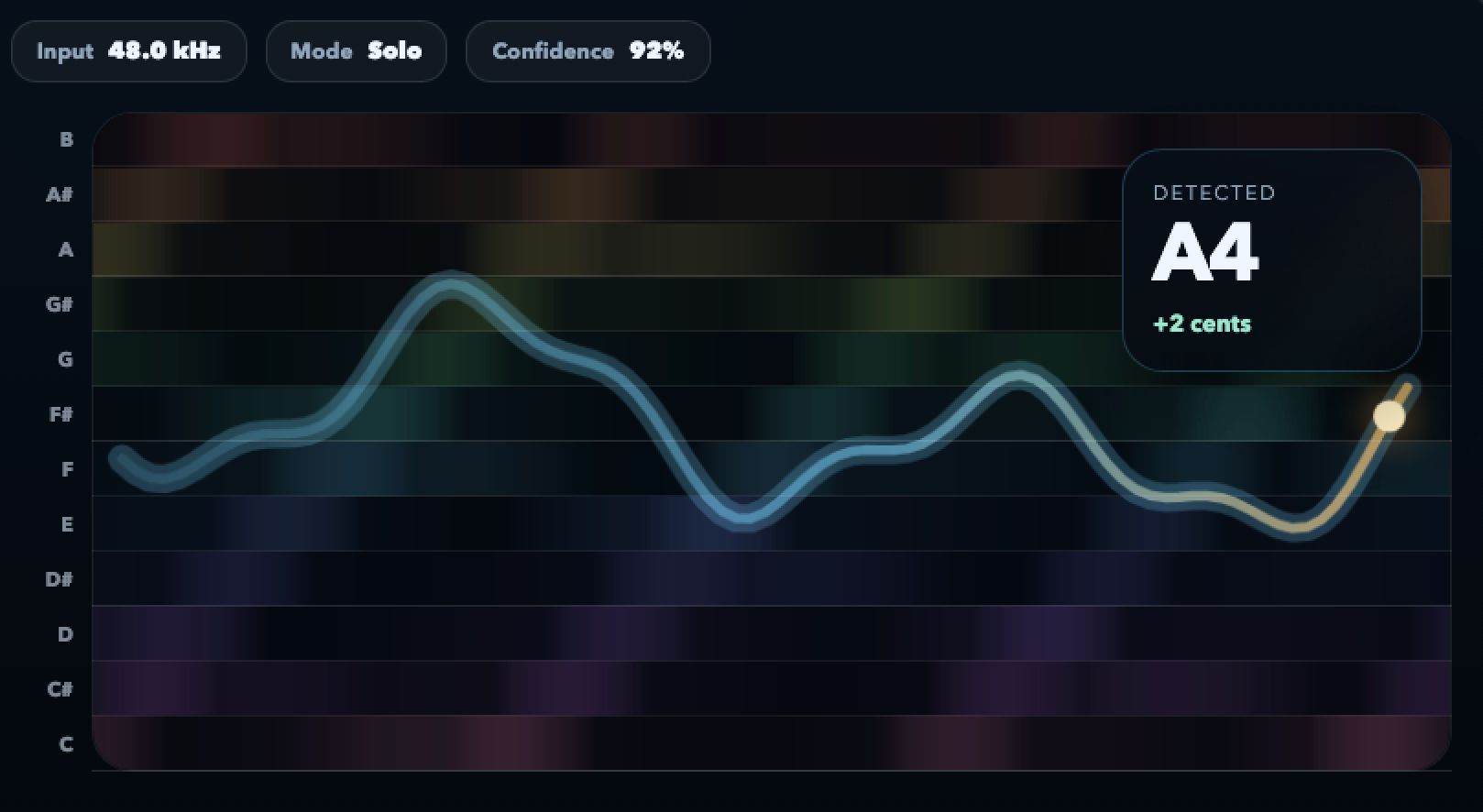
Follow the pitch as it moves, settles, and decays. Every wobble shows up as shape — not a dropped reading.
Real-time pitch monitor
See the whole note, not just the needle
A real-time pitch monitor for musicians who want to understand what their sound is doing. Fiume draws the full pitch contour as you play — attack, settling, drift, slides, vibrato shape — so you can fix what a traditional tuner would hide.
In-browser. No install. Microphone permission only when you press start.
Watch rate and depth of vibrato as a clear oscillation around target. Stop guessing whether it is even or ragged.
Portamento and scooping show up as sloped lines. See exactly where you start, where you land, and how long the journey takes.
All analysis happens in the browser. Fiume never uploads your playing to draw the contour.
Why contour matters
A tuner tells you where you are. A pitch monitor tells you where you have been.
Live performance is never a single point in time. It is a trajectory: attack, settling, sustain, release. Fiume draws that trajectory so you can diagnose what your ear already suspects.
Diagnose the sustain
A note that starts centered and sags by twenty cents over two seconds looks flat to a listener even though a tuner briefly said "in tune". The contour shows the sag.
Measure your vibrato
Is the oscillation even? Is the rate steady? Fiume shows the shape so you can refine vibrato width and speed instead of guessing by feel.
Catch the scoop
Singers and string players often arrive at the target pitch from underneath. The monitor shows the approach so you can choose it, not stumble into it.
Who uses it
Built for musicians who practice on purpose
A pitch monitor changes what practice feels like. Instead of repeating a phrase hoping it gets better, you see what changed and what stayed the same.
-
Vocalists Track attack shape on phrases, sustain stability on long notes, and the evenness of vibrato across registers.
-
Violinists and cellists Compare bow-change moments, intonation drift during long bows, and the approach to double-stops.
-
Wind and brass players See embouchure drift over a sustain, watch the pitch center move as air pressure changes.
-
Teachers and coaches Use a shared visual reference during lessons so a student can see what their ear is still learning to hear.
-
Composers working with pitch Capture microtonal phrasings, quarter-tones, and non-tempered systems as an actual contour, not a forced label.
-
Studio overdubs Catch drift before committing a take. Spot the subtle flat-in-the-middle pitch problem a tuner will miss.
How it works
Three minutes from curious to useful
01
Open the monitor
Click start. Fiume requests microphone access once and begins listening immediately, with the whole pitch contour drawn across the screen.
02
Play or sing a phrase
Watch the line respond in real time. Note labels appear alongside cent offsets so you can read intervals and landings at a glance.
03
Decide what to change
Use the shape to choose a specific adjustment: warmer vibrato, slower decay, cleaner attack. Practice something concrete, not abstract.
FAQ
Questions musicians ask before trying it
How is a pitch monitor different from a tuner?
A tuner gives you a single reading at a moment in time. A pitch monitor draws the whole line across time — attack, settling, drift, vibrato shape. It turns a yes/no answer into a diagnostic view you can practice with.
Which instruments does it work with?
Any monophonic source: voice, flute, sax, trumpet, violin, cello, solo guitar lines, whistling. Chords and polyphonic playing need Fiume's fold or poly mode.
Is there any lag?
Latency is dominated by your browser's audio input buffer — typically under 25ms on desktop. Analysis runs on the audio thread so there is no visible delay.
Does Fiume record what I play?
No. The live monitor only analyzes your audio. If you later choose to capture a take for review, you opt in explicitly and the recording stays local.
Can I use it in a lesson or classroom?
Yes. Sharing the screen gives the student a live visual that complements what they hear. It works well as a shared reference for vibrato, intonation, and phrasing.
What browser should I use?
Any modern Chromium-based browser, Firefox, or Safari. On Safari you may need to tap the page once before granting mic permission. Recent browsers keep Web Audio latency low.
See your pitch contour now
Open the monitor, play one long note, and watch what you have never quite been able to hear.
Open the pitch monitorFree to try. Audio analysis stays in your browser.