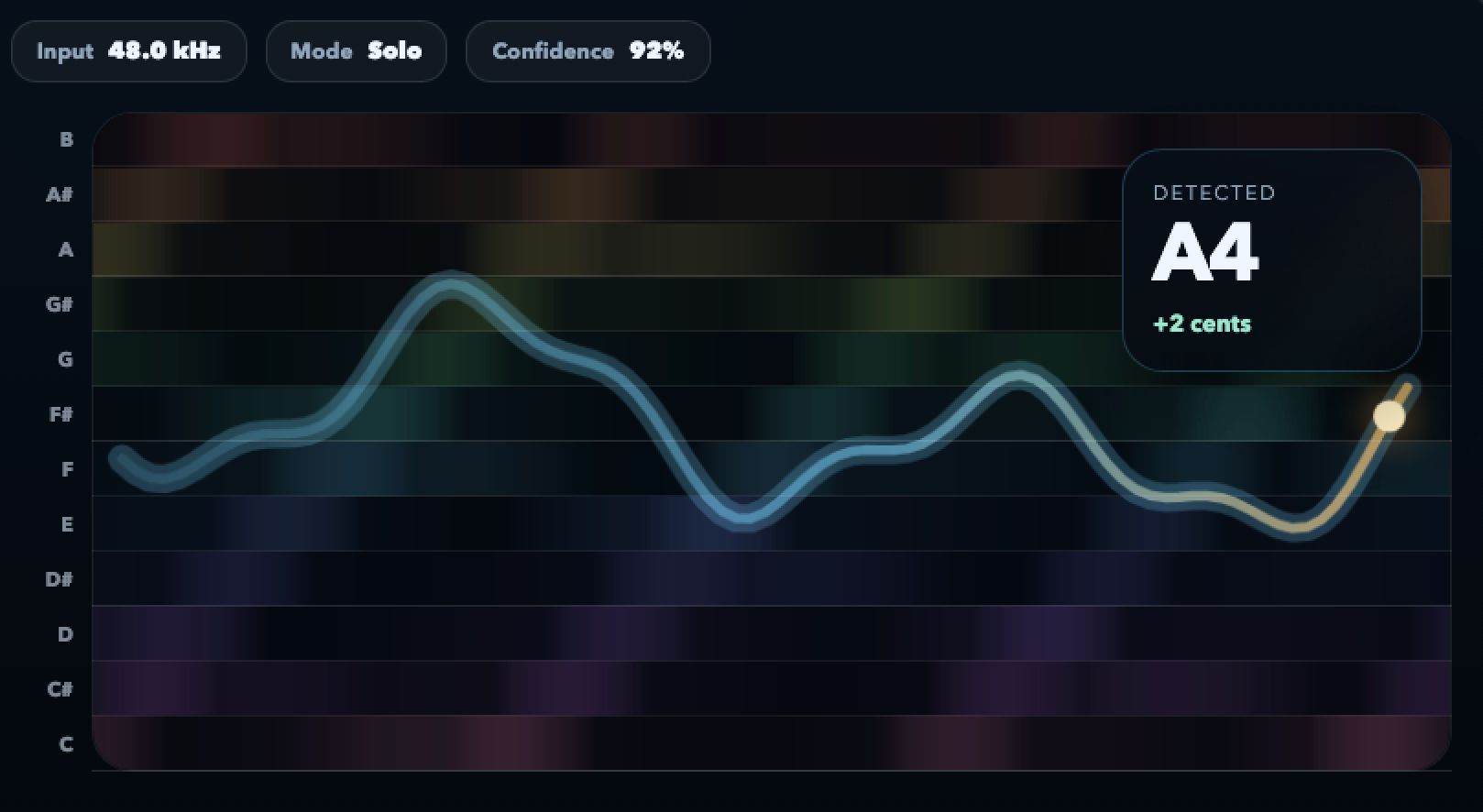
Singers often approach a note from below without knowing it. The contour shows the scoop as a slope you can choose or avoid.
Vocal pitch monitor
A vocal pitch monitor that teaches your ear
Built for singers and vocal coaches. Fiume draws every phrase as a live contour — attack, scoop, sustain, vibrato, release — so you can see where your voice goes, not just guess. In-browser, free to try, with cent-level precision.
No install. No account. Microphone permission only when you press start.
See rate, depth, and evenness of your vibrato as a clean oscillation. Improve it on purpose instead of by luck.
A note that sags during a long sustain reads flat to listeners. Catch it before it becomes a habit.
Your voice stays on your device. No upload, no account, no trace of what you sang.
Why singers need this
The pitch problems you cannot hear in the moment
Hearing yourself while singing is hard — bone conduction, room acoustics, and the instrument being inside your head all distort your perception. A vocal pitch monitor gives you an objective second ear.
The hidden scoop
Many phrases that "feel fine" actually start twenty cents under target and drift up to center over a beat. The contour reveals the shape so you can decide if it is stylistic or accidental.
Uneven vibrato
A vibrato that speeds up mid-note or widens at the release can be charming or distracting. Seeing the shape lets you work the rate and depth you actually want.
Sustain sag
Long notes are the first place intonation slips when air support falters. The monitor shows the exact moment the line starts to slide.
Who it is for
Voices this monitor was designed for
Any kind of singing, any range, any genre. Fiume does not assume a voice type — it just tracks what you sing.
-
Classical and opera singers Shape vibrato, place attacks cleanly, track register transitions without guessing.
-
Pop, rock, and R&B vocalists Rein in stylistic scoops when you want to, lean into them when you do. Shape runs and melismas with precision.
-
Choir members Tune your section against a reference pitch before rehearsal. Watch your own line without dominating the mix.
-
Musical theater performers Keep belt and mix placements steady across eight shows a week. Catch fatigue before the audience does.
-
Vocal coaches and teachers Share the screen. Let the student see the contour shift as they change vowel shape, breath support, or resonance.
-
Speech and voice-over artists Check intonation consistency across reads. Spot drift that creeps in over long sessions.
How to practice with it
A practice routine that uses the monitor
01
Start with long tones
Pick a comfortable pitch, sustain it for six seconds, and watch the line. Your sustain discipline shows up immediately in the contour.
02
Add intervals
Move between two notes a fifth apart. The leaps make scoops and overshoots visible. Repeat until the transitions are clean.
03
Sing a real phrase
Take a line from a song you are working on. The monitor shows where the phrase actually sits, and where your musical intent and your execution diverge.
FAQ
Questions singers ask before starting
Will it work for my voice?
Yes. Fiume tracks any human voice — soprano to bass, speaking, humming, whistling, belting, falsetto. The pitch detection is range-agnostic.
Can I practice with backing tracks?
Yes, but feed the backing track through your headphones — not through speakers. Bleed from a backing track confuses any pitch detector.
Does it tell me I am flat or sharp?
It shows you exactly. The contour lives wherever the pitch actually is, labeled with the nearest note and a signed cent offset.
Is it useful for a beginner?
Very. Beginners often sing close enough that they cannot tell why a phrase does not sit right. The monitor makes the invisible visible.
Can my vocal coach use it during lessons?
Yes. Many vocal coaches share their screen with Fiume open, so the student can see vibrato rate, sustain drift, or scoop shape as they try different approaches.
Is anything uploaded?
No. The pitch analysis runs locally in your browser. Nothing leaves your device while you are practicing with the live monitor.
Sing one long note and see it
You can practice a hundred phrases a day. The ones you see are the ones that improve.
Open the vocal monitorFree to try. Your voice stays on your device.